
Your Website Gets Traffic But No Leads. Here Is Where They Go.

If your website gets steady visitors but almost nobody contacts you, the problem is usually not traffic. It is what happens in the sixty seconds after someone arrives. A site with 5,000 visitors and 4 enquiries has a conversion problem, not a marketing problem. Buying more visitors will not solve it. It will just cost more. Most business websites lose people in the same six places, and all six are cheap to fix once you know which one is hurting you. The six places people leave Problem Sign you have it What fixes it The page does not answer their question High bounce rate on landing pages A headline that says what you do and for whom There is no clear next step Lots of visits, very few clicks on anything One main action per page, repeated The form asks for too much People start the form and never finish Cut to name, contact and one line Nothing makes you believable Visitors read several pages then leave Real photos, named reviews, clear pricing The phone version is different Mobile converts far worse than desktop Test on a phone using mobile data Nobody replies fast enough Leads arrive but never answer your callback Automatic reply in under a minute Each one is explained below, starting with the one that usually costs the most. 1. The page does not answer the question they arrived with Someone searched for a specific problem. They landed on your page. The first thing they see is a headline about your company. “Delivering excellence since 2009” tells a visitor nothing. It does not confirm they are in the right place, and confirming that is the only job the top of your page has. Your headline should answer three things in five seconds: What you do Who you do it for What the visitor gets If a stranger cannot answer those three questions, they leave. They are not being impatient. They have three other tabs open. Quick test. Show your homepage to someone outside your industry for five seconds, then hide it. Ask them what your business does and who it is for. If they cannot say, rewrite the headline. 2. There is no clear next step Some sites give the visitor nothing to do. Others give them eleven things. Both fail for the same reason. If your page has a phone number, a chat widget, a newsletter box, a brochure download, a quote form and three social icons, you have not given the visitor a choice. You have given them a decision to make, and the easiest decision is always to leave. What works: One main action per page, not five A button that says what happens next, such as “Get my free audit” or “Book a call” The same action repeated at the top, middle and bottom, because people decide at different points Everything else made smaller or moved off the page 3. Your form asks for too much Every extra field costs you leads. This is one of the most consistent findings in conversion testing, and it is the easiest thing on this list to fix. Ask only what you need to have the next conversation: Keep: name, one contact method, one line about what they need Remove: company size, budget range, job title, how they heard about you Never require: anything the visitor may not know yet Two more things quietly kill forms. Required fields that are not really required. And no confirmation message after someone hits send, which leaves people unsure whether it worked, so they never follow up. 4. Nothing on the page makes you believable A visitor who is interested becomes a visitor who is cautious. They want a reason to trust you before handing over their details, and most sites give them nothing to work with. What most sites have What actually helps Stock photos of models in an office Real photos of your real team and premises “Great service! John D.” Reviews with full names and specific detail “Trusted by hundreds of clients” The results of work you can name and prove No pricing anywhere A price range, or an explanation of what changes it A contact page with a form A clear description of what happens after you contact them Be careful with big numbers. Claims with no source make people more suspicious, not less. A smaller figure you can prove beats a bigger one you cannot. 5. The version on your phone is not the version you check Most visitors are on a phone, often on mobile data, often comparing you with two competitors in the same few minutes. You check your site on a desktop, on office wifi, with the page already loaded in your browser cache. Those are completely different experiences. On the phone version: The headline may sit below a large image, so nobody sees it The phone number may not be tappable The form may be hard to fill in with a thumb The page may take several seconds to become usable Quick test. Turn off wifi. Open your site on your phone. Count the seconds until you can read something and tap something. Then try to contact your business in one tap. If you cannot, neither can a customer. 6. Nobody replies fast enough This one sits outside the website, and in our audits it is often the biggest leak of all. Research on lead response has said the same thing for more than a decade. Your chance of reaching and qualifying a new lead drops sharply within the first hour, and fastest of all in the first few minutes. Meanwhile most enquiries arrive in the evening and get a reply the next working day, if they get one at all. By then the person has contacted two competitors. One of them replied while your form was still sitting in an inbox. An automatic reply within a minute, sent by text as well as email, followed by a real person shortly
The Role of AI in Legal Intake Chatbots
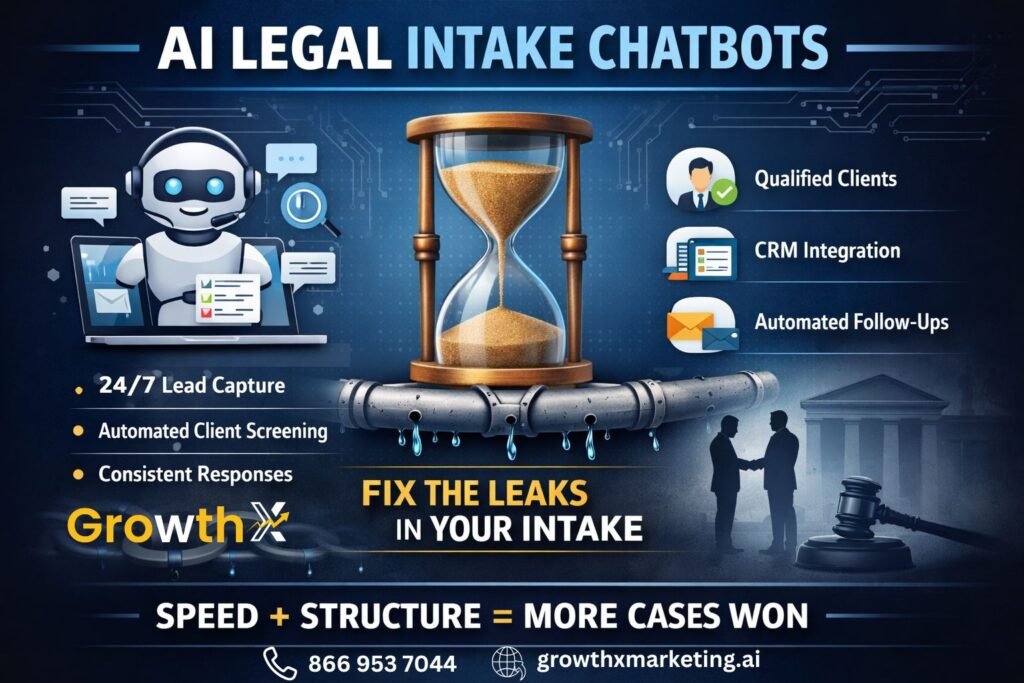
The Role of AI in Legal Intake Chatbots The Real Job of Intake Intake isn’t just answering questions. It’s: Qualifying the right clients Filtering out the wrong ones Responding fast enough to win the case Miss any one of those and your pipeline starts leaking. Traditional intake teams? They’re limited: Office hours only Slow follow-ups Inconsistent screening And no matter how good your team is… they can’t be everywhere, all the time. Enter Legal Chatbots Legal chatbots 2026 aren’t those clunky pop-ups anymore asking, “How can I help you today?” Now they: Ask smart, case-specific questions Guide users like a real intake specialist Instantly route qualified leads This isn’t about replacing humans. It’s about handling the first 80%, so your team can focus on closing. AI Legal Intake = Speed + Structure Here’s what actually changes when you implement it: 1. 24/7 Lead Capture People don’t get into accidents on a schedule. With 24/7 lead capture, every inquiry gets: Instant response Immediate engagement Zero waiting time And speed matters more than most firms realize. The first firm to respond usually wins. 2. Automating Client Qualifying Not every lead is worth your time. That’s just reality. With automating client qualifying, the system can: Ask about accident details Check case viability Filter out low-quality inquiries So instead of your team asking the same 10 questions every day… They only talk to people who actually have a case. 3. Consistency Let’s be honest. Intake quality varies depending on: Who answered the phone How busy they were Whether they followed the script AI doesn’t have off days. It asks: The same questions In the right order Every single time That kind of consistency is hard to beat. Where Most Law Firms Mess This Up They install a chatbot… and that’s it. No strategy. No integration. No follow-up system. So what happens? Leads come in No proper routing No CRM sync No nurture sequence And suddenly, the “solution” becomes just another tool collecting dust. The Smarter Play: Connect It to Your Pipeline A proper law firm AI tool setup should: Capture the lead Qualify the case Push data into your CRM Trigger follow-ups (SMS, email, calls) Book consultations automatically Now you’re not just capturing leads, you’re moving them forward. Where GrowthX Comes In At GrowthX, the focus isn’t just on adding tools. It’s building a system that actually works. That means: AI legal intake that mirrors real conversations Smart qualifying flows tailored to your practice area Full integration with your lead management system Follow-ups that happen without you chasing them Because here’s the truth: If your intake isn’t fast, structured, and consistent… You’re losing cases you should have won. Final Thought AI in legal intake isn’t some futuristic idea. It’s already deciding who gets the client… and who gets ignored. So the question isn’t: “Should you use legal chatbots?” It’s: How many leads are you okay losing before you fix your intake? FAQs What are Local Service Ads for lawyers? Local Service Ads are Google advertising placements that appear above traditional search ads and operate on a pay-per-lead model. What does Google Screened mean for lawyers? The Google Screened badge indicates that an attorney has completed license verification and background checks required by Google. Why are LSA leads expensive in Washington DC? The DC legal market is highly competitive, which increases the cost per lead as firms compete for limited ad placements. Are LSA leads better than traditional PPC leads? They often involve higher intent because users frequently contact the firm directly from the ad interface. Do law firms need a strategy for Local Service Ads? Yes. Performance factors such as response time, reviews, and intake quality influence how leads are distributed.